How to Respond to a Cyber Incident in Under 60 Minutes

Cyber threats hit fast. One minute your systems run smooth, the next an alert pops up showing something wrong. When that happens, knowing exactly how to respond to a cyber incident can save your business from huge losses, downtime, and reputation damage.
This guide walks you through a clear, practical plan to handle any cyber incident in the first critical hour. You will learn simple steps that work for small teams or large companies. Follow them and you can limit damage, protect your data, and get back to work quickly.

Image: Cybersecurity team working together in a control room during an incident Alt Text: Team responding to a cyber incident in real time Credit: Image from TrueSec incident response guide (truesec.com)
Why the First 60 Minutes Matter So Much When You Respond to a Cyber Incident
Think of the first hour like the golden hour in a medical emergency. Every extra minute gives the attacker more time to steal data, spread malware, or lock your systems.
Studies show the average cyber incident costs organizations millions. IBM research points out that each hour of delay during a breach adds roughly $800 in extra costs on average. Fast action cuts those numbers sharply. Companies that contain threats quickly often see 23% lower total costs and much less downtime.
Slow responses lead to bigger problems. Data gets stolen, customers lose trust, and regulators may fine you. But when you respond to a cyber incident right away, you stop the spread, protect evidence, and start recovery before things get worse.
Many businesses face ransomware, data theft, or phishing attacks every year. The difference between a small issue and a company-ending disaster often comes down to what happens in those first 60 minutes.

Image: Laptop screen showing a clear cyber attack alert Alt Text: Immediate alert when responding to a cyber incident Credit: Stock image from Alamy (alamy.com)
Common Types of Cyber Incidents You Need to Prepare For
Before you learn the steps, know what you might face:
- Ransomware: Files lock and a ransom note appears. Attackers demand payment to unlock everything.
- Data Breach: Someone steals customer information, employee records, or financial details.
- Malware Infection: Harmful software sneaks in through email or downloads and starts causing trouble.
- DDoS Attack: Your website or network gets flooded with fake traffic so real users cannot access it.
- Phishing or Account Takeover: Hackers use stolen login details to enter your systems.
- Insider Threat: Someone inside the company accidentally or intentionally causes harm.
Each type needs fast action, but the basic steps to respond to a cyber incident stay the same. Quick thinking works across all of them.
Build a Strong Foundation So You Can Respond to a Cyber Incident Fast
Good preparation makes the 60-minute plan easy to follow. Start now so you never scramble when an alert hits.
Create a simple incident response plan that lists who does what. Pick one person as the incident leader. Include IT staff, managers, legal help, and someone for customer communication. Keep a printed copy of contact numbers in case email goes down.
Train your team with practice drills. Run a fake attack every few months so everyone knows their role. Update your plan when you add new software or change staff.
Set up monitoring tools that send clear alerts. Make sure backups run daily and test them regularly. Strong passwords, multi-factor login, and regular software updates form your first line of defense.
Link to our earlier post: Learn how to set up basic network protection here.
Many companies also keep a relationship with outside experts ready to jump in. This retainer means help arrives within minutes instead of hours.

Image: Business team meeting to plan cybersecurity strategy Alt Text: Team preparing to respond to a cyber incident Credit: Image from Athreon blog (athreon.com)
Your Exact Step-by-Step Plan to Respond to a Cyber Incident in Under 60 Minutes
Follow this timeline. Stay calm, document everything, and move quickly.
Minutes 0-10: Detect, Confirm, and Alert the Right People
When an alert appears or a user reports odd behavior, act immediately.
Check logs and alerts from multiple sources to confirm it is real. Look for signs like sudden slow performance, unknown files, or traffic going to strange places.
Write down the exact time, what you see, and who noticed it first. This timeline becomes gold later.
Call your incident leader right away. Use a pre-set group chat or phone tree so the full team knows within minutes. Tell them the basic facts without panic.
If customer data might be involved, loop in legal early. Notify only the people who need to know at this stage.
Why this matters: False alarms waste time, but missing a real attack costs more. Quick confirmation lets you move to containment before the problem grows.
Minutes 10-25: Contain the Problem and Stop the Spread
Isolation is your best friend here.
Disconnect affected computers or servers from the network. Use network segments if you have them so only bad parts go offline.
Change passwords for any accounts that might be compromised. Turn off remote access if you see suspicious logins.
Block known bad web addresses or IP numbers at your firewall. Shut down any processes that look harmful.
Keep normal business running on clean systems. Customers should still reach you if possible.
Document every step you take, including who did it and when. Take screenshots if safe.
Real example: One school system spotted unusual login attempts from abroad. They isolated the affected accounts in under 15 minutes and stopped the attack before any data left. Fast containment saved them from a full breach.
If you have backups ready, prepare them but do not restore yet. Focus only on stopping the active threat.
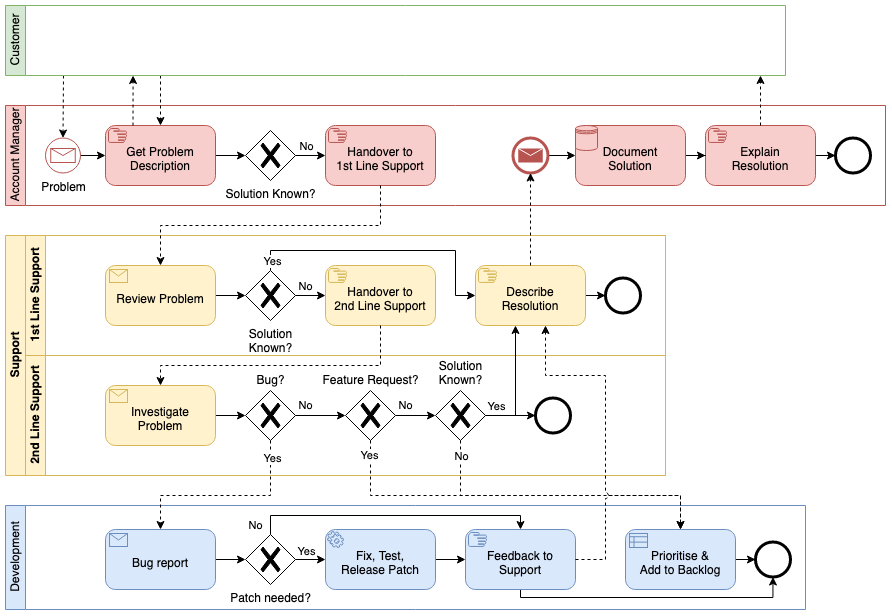
Image: Simple flowchart showing incident response steps Alt Text: Flowchart for how to respond to a cyber incident Credit: Diagram example from draw.io blog (drawio.com)
Minutes 25-40: Assess the Damage and Preserve Evidence
Now figure out how bad it is without making changes that destroy clues.
Look at system logs to see what the attacker touched. Note which files changed and when.
Take copies of memory and important logs if your team knows how. Store them safely.
Do not delete anything or run cleanup tools yet. Evidence helps you understand the attack and proves what happened to insurance or police.
Talk with your team about what data might be at risk. This helps decide what to tell customers later.
Check if the attack came from email, a website visit, or a USB stick. Knowing the entry point helps close that door fast.
Keep communication going through your secure channel. Update the leader every 5-10 minutes.
Minutes 40-55: Start Eradication and Plan Recovery
Remove the threat carefully.
With evidence safe, clean or rebuild affected systems from trusted backups. Scan everything before bringing it back online.
Apply all available security updates. Change every password connected to the incident.
Test restored systems in a safe area first. Monitor closely when you reconnect them to the network.
Prepare a short update for employees and customers. Keep it honest but calm. Legal team should review any public messages.
Minutes 55-60: Communicate and Set Next Steps
Send internal updates so everyone knows the status. Tell staff what they can and cannot do.
If required by law, start the process for notifying affected people. Many places need quick reporting when personal data is involved.
Schedule a short meeting for right after the hour to review what worked and what needs improvement.
You have now completed the critical first response. The attack is contained, evidence is safe, and recovery has started.
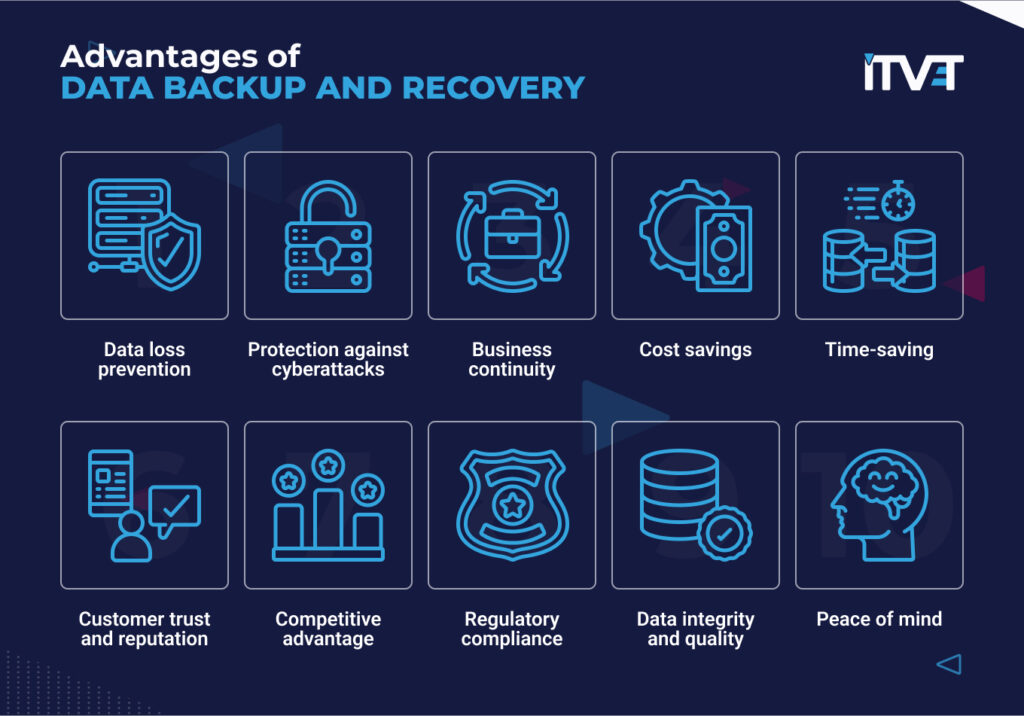
Image: Icons showing benefits of good data backup and recovery Alt Text: Recovery steps when responding to a cyber incident Credit: Graphic from ITVET blog (itvet.co.uk)
Real Companies That Responded to a Cyber Incident – Lessons You Can Use
Colonial Pipeline faced ransomware in 2021. They shut down operations quickly to contain the issue. While they eventually paid a ransom, their fast initial isolation limited wider spread across fuel supplies. The lesson: Clear shutdown procedures save bigger chaos.
Equifax suffered a massive breach but waited too long to tell customers. The delay led to huge fines and loss of trust. Quick, honest communication would have helped.
On the positive side, a large university spotted suspicious activity during off-hours. Their team isolated the accounts within minutes using pre-set alerts. No data was lost and systems returned to normal the same day. Preparation and fast containment made all the difference.
These stories show why every business, big or small, needs a ready plan to respond to a cyber incident.
Common Mistakes That Make Cyber Incidents Worse
Avoid these errors:
- Waiting to confirm before acting – every minute counts.
- Trying to fix everything yourself instead of calling experts.
- Deleting logs or changing systems before saving evidence.
- Panicking and shutting down more than necessary, hurting business.
- Forgetting to tell the right people early.
Stay calm, follow your checklist, and ask for help when needed.
Helpful Resources to Respond to a Cyber Incident Even Faster
Check these free guides:
- NIST Computer Security Incident Handling Guide – Clear steps used by governments and companies worldwide.
- CISA Incident Response Resources – Practical checklists and playbooks from the U.S. Cybersecurity Agency.
- IBM Cost of a Data Breach Report – Latest numbers on why speed saves money.
Read our related article: Why Regular Backups Save Businesses During Attacks.
Many organizations also join information-sharing groups to learn about new threats before they hit.
What Happens After the First Hour – Full Recovery and Improvement
Once the immediate threat stops, focus on full cleanup and prevention.
Review every log to understand the full attack path. Fix the weakness that let the attacker in.
Update your incident response plan with what you learned. Run another practice drill soon.
Test all systems thoroughly before full return to normal operations. Monitor extra closely for a few weeks.
Share lessons with your whole team so everyone gets better at spotting problems early.
Frequently Asked Questions About Responding to a Cyber Incident
How do I know if it is a real cyber incident? Look for multiple signs together – slow systems plus unknown files plus alerts. When in doubt, treat it as real and check quickly.
Should we pay the ransom? Most experts and government agencies advise against it. Payment does not guarantee data return and may encourage more attacks.
Who should we call first? Your internal incident leader, then legal if customer data is involved. Have external experts on speed dial.
Do small businesses need a full plan? Yes. Even a one-page checklist with phone numbers helps a lot.
How often should we practice? At least twice a year, plus after any big system change.
What if we have no IT team? Many managed service providers offer 24/7 incident help. Set it up before you need it.
How long until everything returns to normal? It depends on the attack, but good preparation often means normal operations resume within days instead of weeks.
Final Thoughts on How to Respond to a Cyber Incident
You now have a complete, easy-to-follow plan. The key is preparation today so you act confidently tomorrow. Print this guide, share it with your team, and review it regularly.
Remember, every business faces risks online, but those who know how to respond to a cyber incident in the first 60 minutes protect their customers, employees, and future.
Stay safe, stay prepared, and keep your business running strong no matter what comes your way.
Share this content:








Post Comment