Application Security
Cloud Security
Network Security
credential stuffing, email security tips, fake email detection, fake Microsoft login page, generative AI phishing, malware in attachments, phishing attack statistics 2026, phishing awareness training, QR code phishing risks, recognize phishing, urgent action phishing
Rahul Chandak
0 Comments
Phishing Emails – How to Spot and Avoid Them Effectively
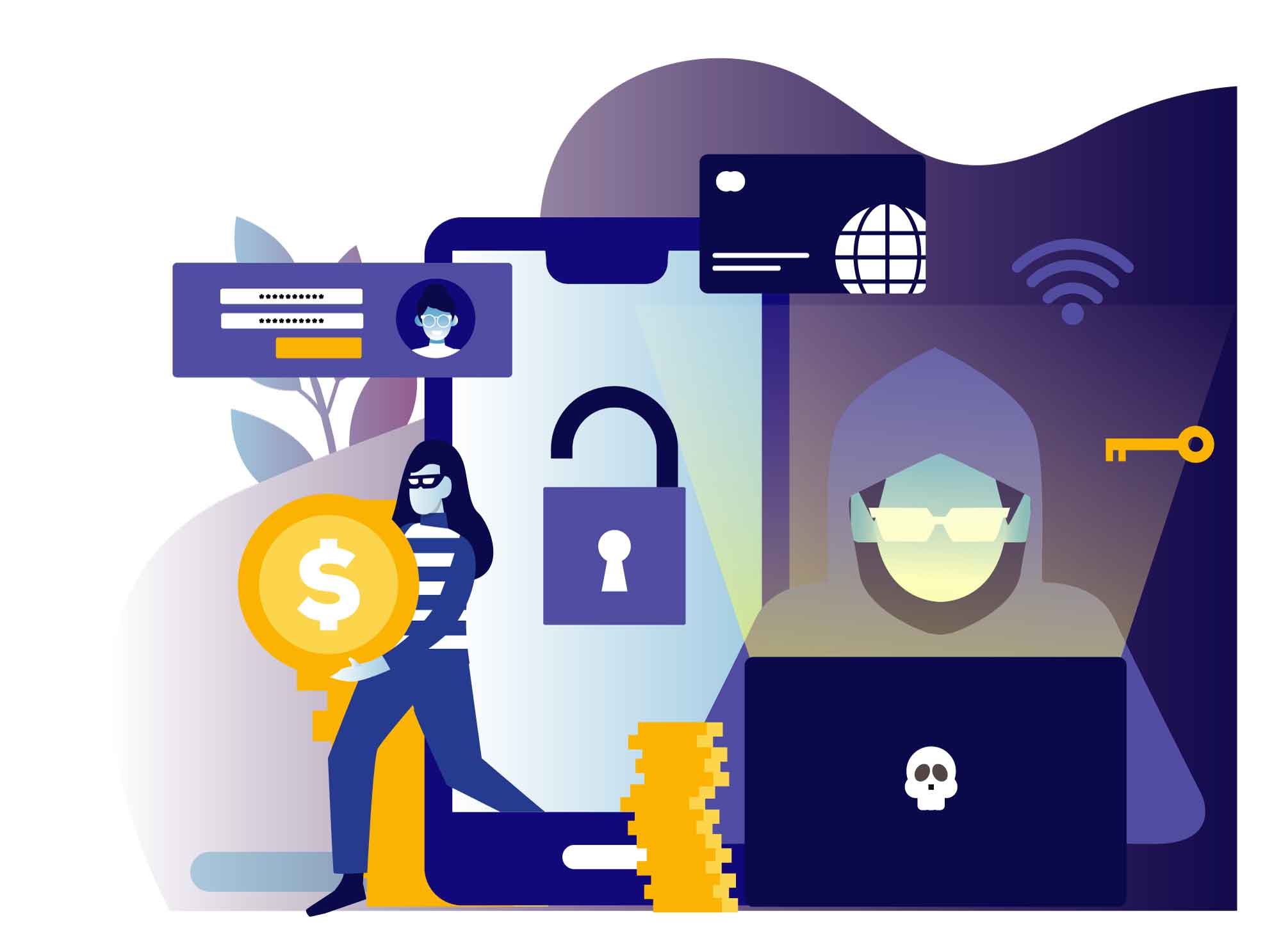
In today’s world, phishing emails remain one of the most common and dangerous cyber threats. Every day, millions of these deceptive messages land in inboxes, tricking people into handing over personal information, login credentials, or even money. With the rise of AI tools in 2026, these scams have become more convincing than ever, making it harder to tell what’s real and what’s fake.
But here’s the good news: you can protect yourself. By learning to recognize the warning signs and following simple habits, you can avoid most phishing emails and keep your information safe. In this detailed guide, we’ll walk through what phishing emails are, the latest trends in 2026, common red flags, real examples, and practical steps to stay secure.

What Are Phishing Emails?
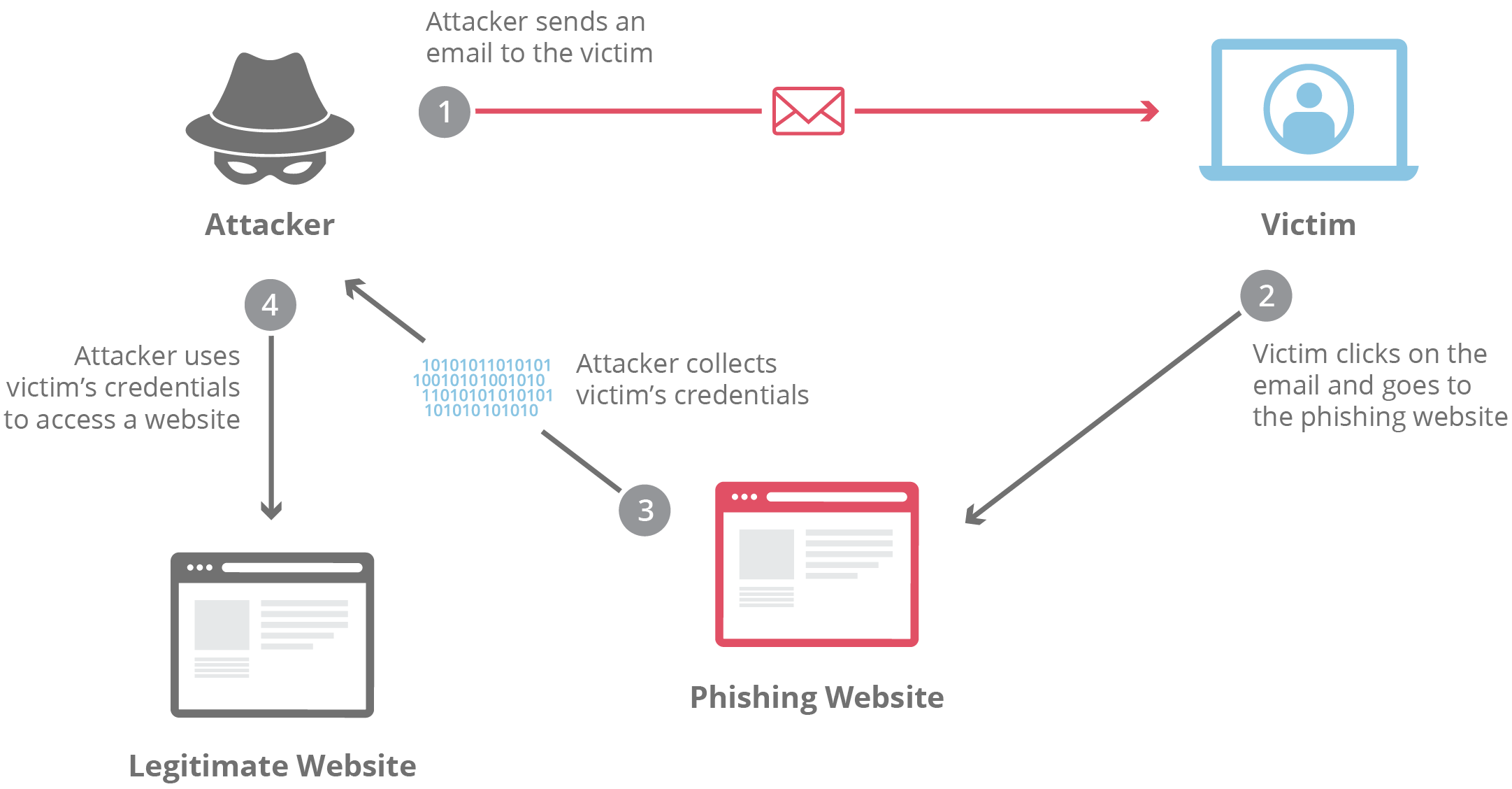
Phishing emails are fraudulent messages designed to look like they come from a trusted source, such as your bank, a popular service like Netflix or Amazon, or even a colleague. The goal is to trick you into clicking a malicious link, opening a dangerous attachment, or sharing sensitive details like passwords, credit card numbers, or Social Security information.
These attacks rely on social engineering—playing on fear, curiosity, or urgency—rather than fancy hacking tools. Attackers send out massive numbers of emails, hoping even a small percentage of people will fall for the trap.
In 2026, phishing remains the top way cybercriminals gain access to accounts and networks, especially for small businesses and individuals. Basic email scams still work because people are busy and trust familiar brands.
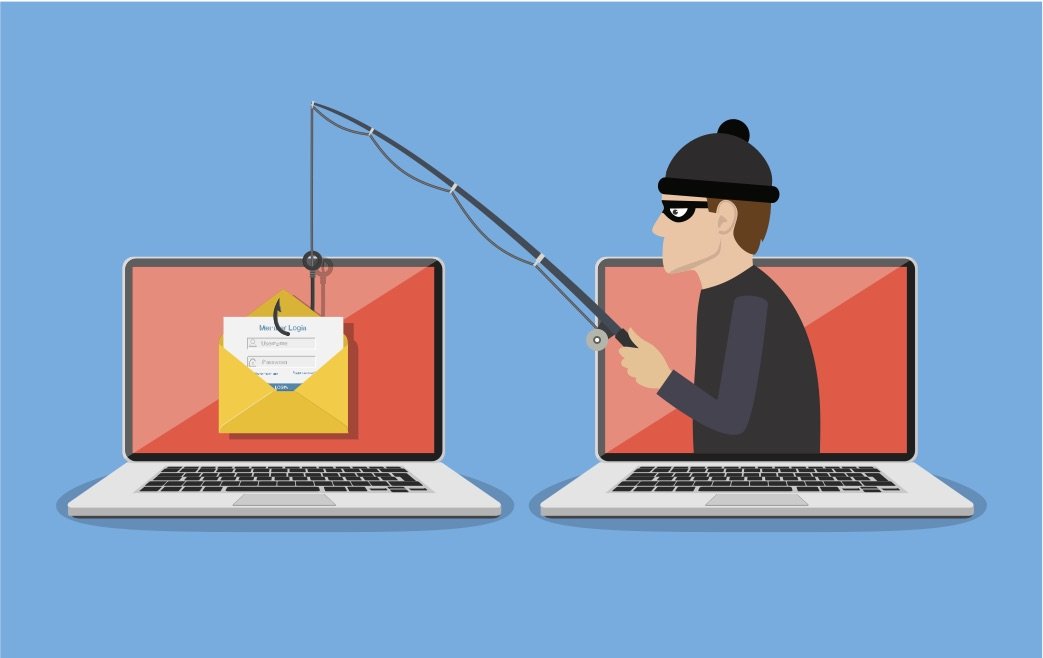
Image credit: KML Computer Services
The classic “phishing” name comes from “fishing”—throwing out bait (the email) and waiting for someone to bite. Once they do, attackers can steal data, install malware, or even take over accounts.
Why Phishing Emails Are More Dangerous in 2026
Phishing hasn’t gone away—it’s evolved. Generative AI now creates emails that sound perfect, with no spelling mistakes or awkward phrasing. Studies show AI-generated phishing emails have a click-through rate of around 54%, compared to just 12% for traditional ones.
Phishing emails haven’t just stuck around—they’ve become dramatically more dangerous. In 2026, the biggest game-changer isn’t new technology that attackers invented from scratch. It’s generative AI — tools like large language models that anyone can use to create super-realistic messages in seconds.
What used to be easy to spot (broken English, weird formatting, obvious fake logos) is quickly disappearing. Attackers can now write perfect, professional-sounding emails that match your boss’s writing style, reference real recent events at your company, or even sound like your family member. The result? People are clicking more than ever.
Here are the key AI-powered phishing trends shaping 2026 that everyone needs to watch out for:
1. AI-Generated Emails Are Massively More Convincing
Old-school phishing often relied on obvious mistakes—spelling errors, strange greetings, clumsy sentences. Generative AI has almost completely removed those red flags.
Experts now report that over 70–80% of phishing emails show some level of AI involvement (KnowBe4’s 2025 trends report already showed 82.6% in early samples, and that number keeps climbing). In many advanced or polymorphic (shape-shifting) campaigns, the figure jumps above 90%.
Even more worrying: studies show AI-written phishing emails achieve click-through rates of around 54%, compared to just 12% for traditional human-crafted ones. That’s more than four times higher success. When the message reads flawlessly and feels personally relevant, people trust it.
2. Hyper-Personalized Spear Phishing at Scale
Spear phishing used to be rare and expensive because it took time to research each target. Not anymore.
In 2026, attackers use AI to scrape public data from LinkedIn, social media, company websites, news articles, and even leaked data dumps. They feed all that into AI tools to generate emails that mention your recent promotion, your child’s school, a project you’re working on, or a vendor you actually use.
Cofense’s 2026 predictions warn that oversharing online is fueling a massive surge in hyper-targeted attacks. AI makes this personalization fast and cheap—so even small-time criminals can run large-scale, highly tailored campaigns.
3. Voice Cloning and Deepfake Follow-Ups (Vishing Explosion)
Phishing doesn’t stop at email anymore. A growing number of attacks start with an email, then move to voice phishing (vishing) using AI-generated voice clones.
Attackers can now clone someone’s voice using just a few seconds of audio from social media, webinars, or podcasts. They call pretending to be your CEO, your bank manager, or even a family member, sounding exactly like the real person.
Reports show vishing attacks surged by 442% in recent periods, and experts expect this trend to explode further in 2026 as voice-cloning tools become cheaper and better.
4. Deepfake Video and Real-Time Chat Impersonation
Even more advanced: video deepfakes in phishing follow-ups. Some attackers now set up fake video calls or send short video messages that look and sound like real people.
Combined with real-time AI chatbots, they can respond naturally if you reply to the initial email or start chatting back. This creates a full conversation that feels completely human—until they trick you into sharing credentials or clicking a final malicious link.
5. Polymorphic Attacks That Change in Real Time
Polymorphic phishing uses AI to automatically change the email content, sender details, links, and even attachments for every recipient or every few minutes. Traditional spam filters struggle to keep up because there’s no single pattern to block.
Barracuda and other analysts predict that over 90% of credential-stealing attacks will involve these sophisticated, adaptive phishing kits by the end of 2026.
6. Quishing (QR Code Phishing) Goes Mainstream
QR codes were already rising, but AI makes them deadlier. Attackers generate convincing emails with QR codes that lead to perfect fake login pages. Because the code hides the real URL, people scan first and think twice later.
CloudSEK lists quishing as one of the top 10 phishing trends for 2026, especially in mobile-heavy environments.
7. Multi-Channel Attacks and Faster Compromise Times
Phishing now spreads across email + SMS + phone + social media + fake Teams/Zoom messages. The goal? Get you to act before you can think.
Cofense experts warn that the time from receiving a phishing email to full account or network compromise has dropped to under one hour in many cases—thanks to AI automation.
8. Massive Financial Impact
The damage is real. Consumers lost $12.5 billion to fraud in the previous year alone, and analysts from Experian, World Economic Forum, and others are warning that AI-powered scams are set to explode in 2026. Fraud has overtaken ransomware as the #1 cyber concern for many businesses.
These trends show one clear truth: relying only on “looking for typos” or “not clicking suspicious links” is no longer enough. Attackers have removed most of the classic warning signs.
But you’re not helpless. The rest of this guide will show you exactly how to spot these smarter phishing emails and protect yourself even in 2026’s tougher landscape.
Attackers move fast—from sending the email to compromising an organization in under an hour in some cases.

These changes mean old advice like “look for bad grammar” isn’t enough anymore. You need to check sender details, hover over links, and trust your instincts.
Common Types of Phishing Emails
Not all phishing emails look the same. Here are the main types you’ll see in 2026:
- Standard Email Phishing — Generic messages pretending to be from banks, payment services, or tech companies asking you to update information or verify your account.
- Spear Phishing — Targeted attacks using personal details (your name, job title, or recent activity) to seem legitimate.
- Whaling — High-level spear phishing aimed at executives or HR staff, often involving large wire transfers or credential theft.
- Clone Phishing — A copy of a real email you received earlier, but with malicious links or attachments swapped in.
- Business Email Compromise (BEC) — Impersonating a boss, vendor, or colleague to request urgent payments or data.
- Quishing — Emails with QR codes that lead to fake login pages when scanned.
Real-Life Phishing Email Examples
Seeing actual examples helps train your eye. Here are some common ones circulating recently:
- Bank Alert Scams — Messages claiming suspicious activity on your account, urging you to click a link to confirm your identity.

- Citibank Suspicious Activity — Fake warnings about account issues with a dodgy link.

- Password Expiration Tricks — Urgent notices saying your password expires soon, with a button to “Keep My Password.”
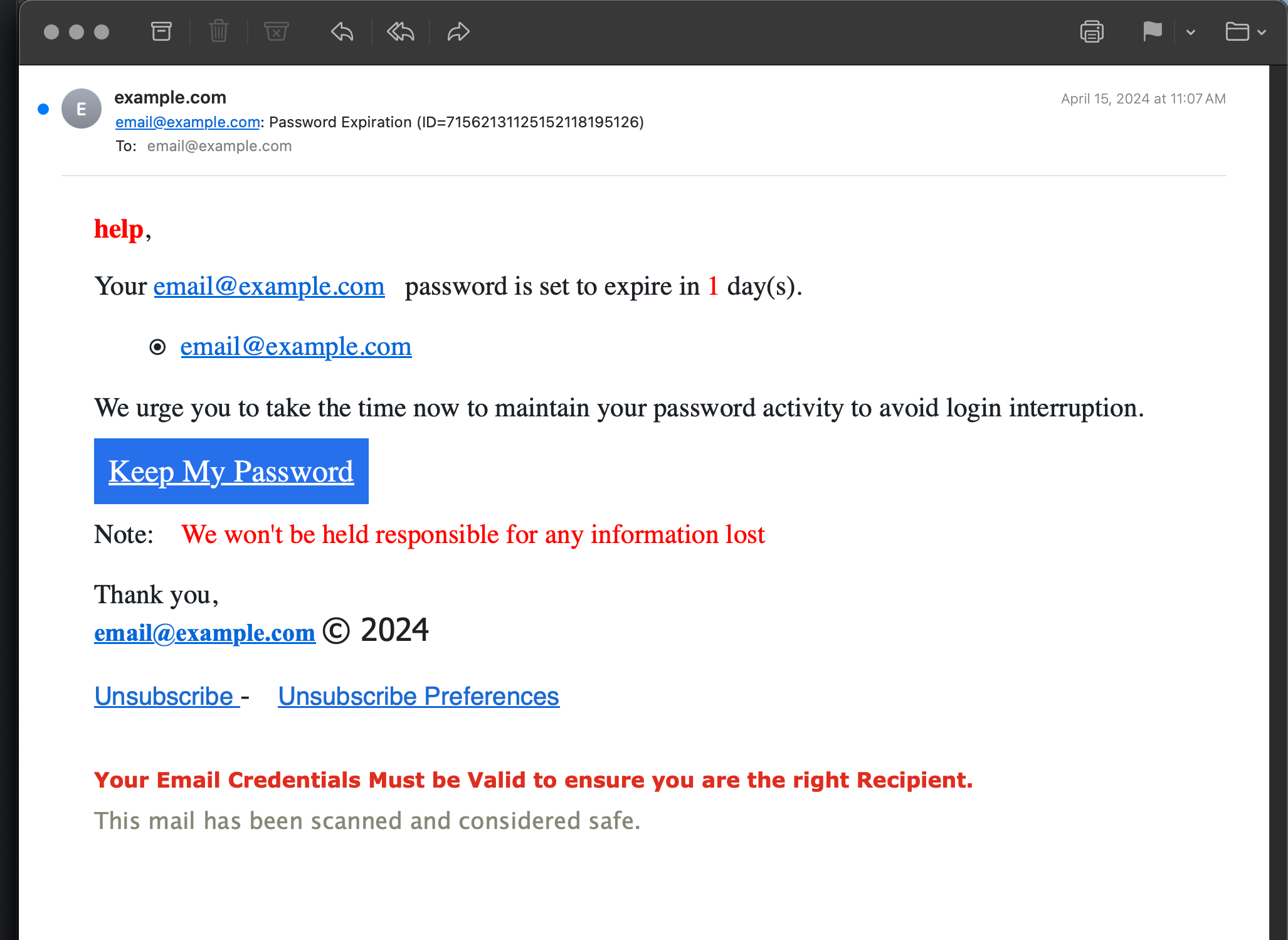
Image credit: Perishable Press
- Fake Voicemail or Package Delivery — Claims of new voicemail or delivery issues with attachments or links.
- Nigerian Prince / Advance Fee Scams — Promises of huge money transfers if you help with a small fee (still around, though less common).

- Domain Suspension Alerts — Fake notices from GoDaddy or similar services demanding immediate domain validation.
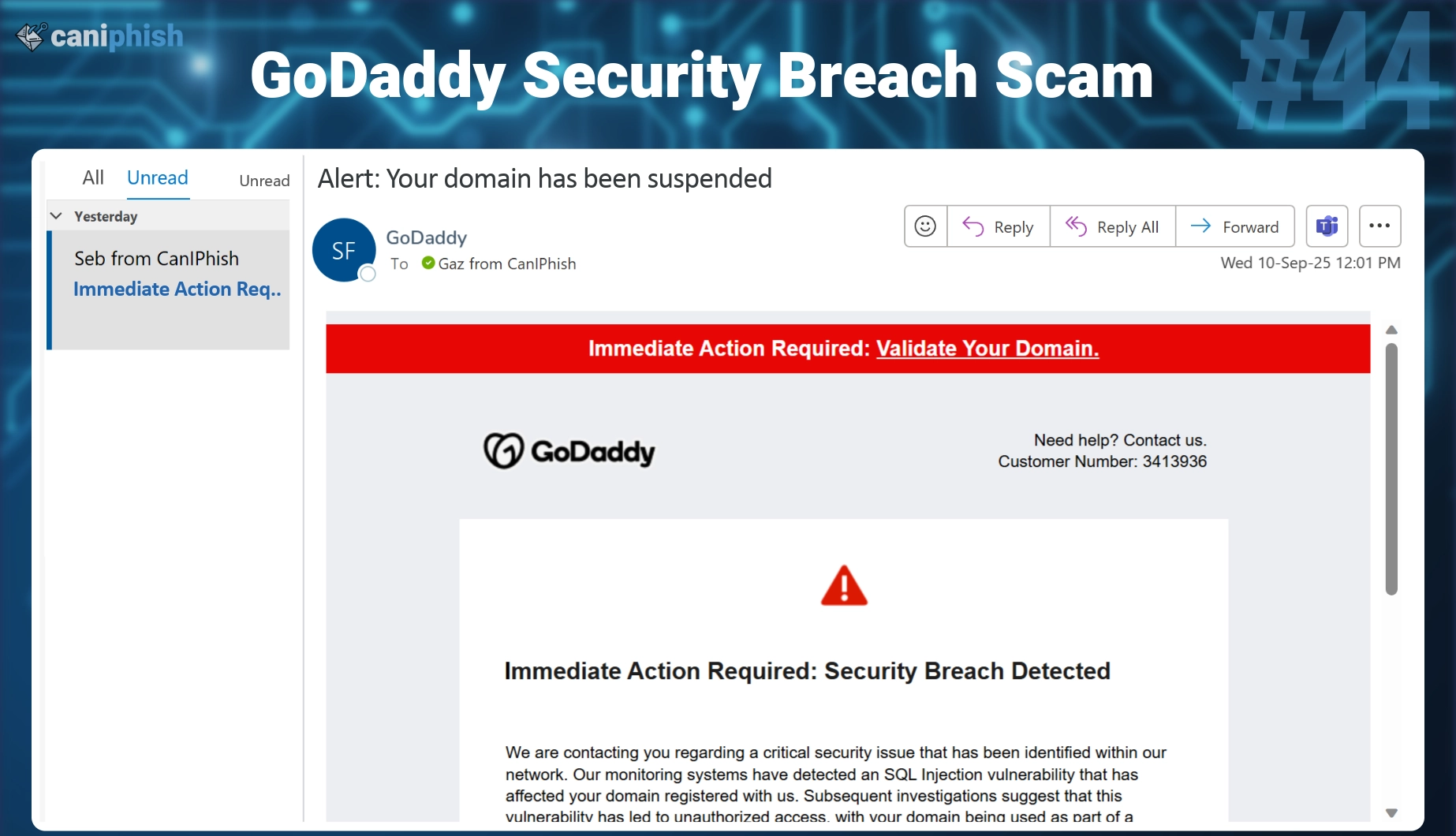
These look professional, but small details give them away.
How to Spot Phishing Emails: Key Red Flags
Here’s a step-by-step checklist to identify suspicious messages.
1. Check the Sender’s Email Address
Legitimate companies use official domains (e.g., support@chase.com). Scammers use close variations like chase-support@intrnet-fi.com or @gmail.com.
Hover over the name to see the real address.
2. Look at the Subject Line
Urgent or alarming subjects like “Account Suspended!” “Immediate Action Required!” or “Your Password Expires Today!” are classic tactics.
3. Watch for Generic Greetings
“Dear Customer,” “Dear User,” or “Hi There” instead of your name often signals a mass phishing campaign.
4. Hover Over Links Before Clicking
Never click links in unexpected emails. Hover your mouse (or long-press on mobile) to see the real URL. If it doesn’t match the company’s official site, it’s fake.
5. Examine Attachments Carefully
Unexpected files, especially .exe, .zip, or .docm, are risky. Even PDFs can contain malware.
6. Notice Urgency and Threats
Phishers push you to act fast: “Your account will be locked in 24 hours!” or “Click now or lose access!”
7. Check for Spelling, Grammar, or Formatting Issues
AI has reduced errors, but odd phrasing or mismatched logos still appear.
8. Verify Unexpected Requests
No legitimate company asks for passwords, PINs, or full credit card details via email.
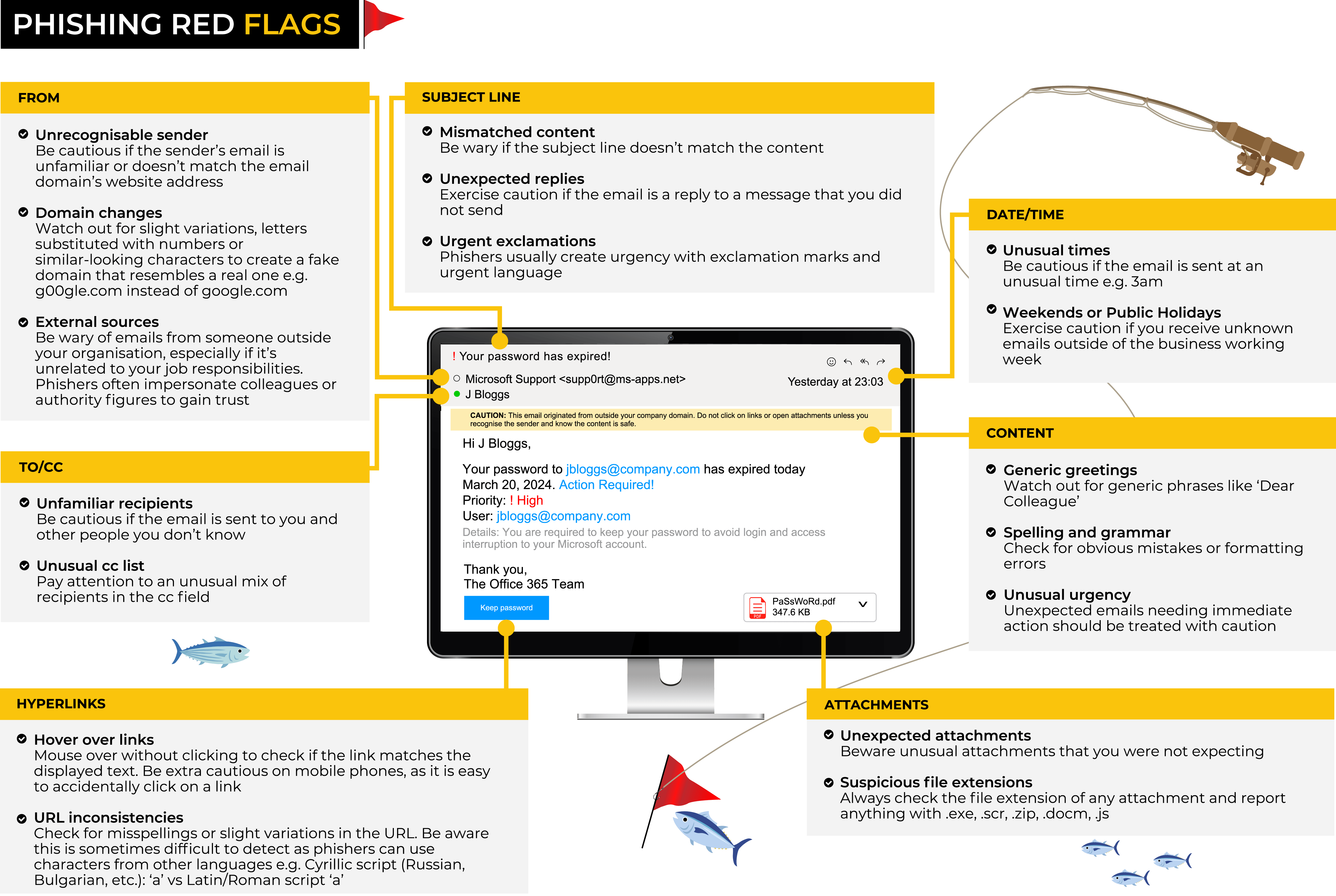
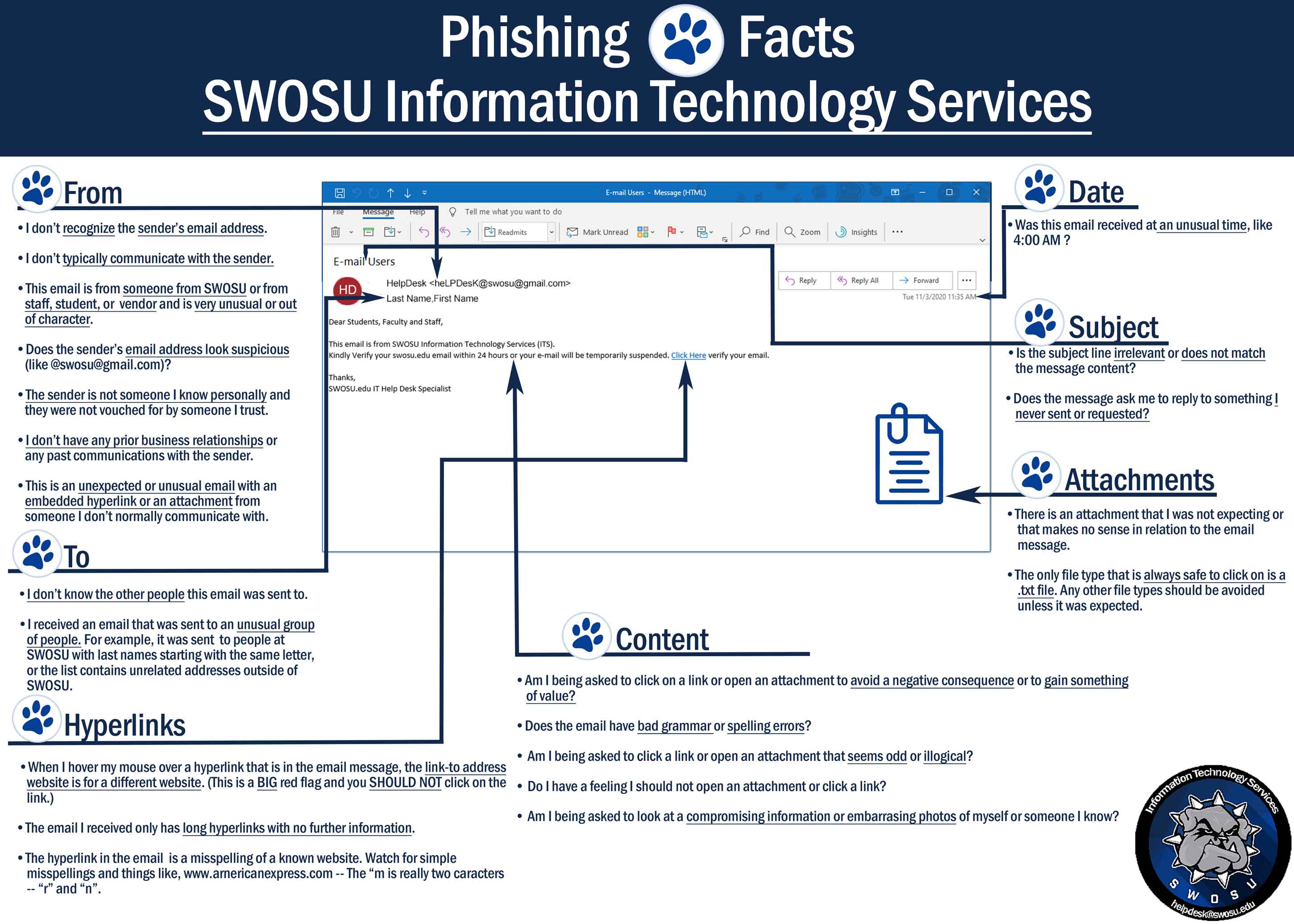
These infographics sum up the main warning signs perfectly.
Step-by-Step Guide: What to Do When You Suspect a Phishing Email
- Don’t click anything — No links, no attachments, no reply.
- Hover and inspect — Check URLs and sender details.
- Verify independently — Go directly to the official website or app (type the URL yourself) and check for alerts.
- Report it — Forward to reportphishing@apwg.org or your email provider’s spam button.
- Delete or quarantine — Move to junk or delete.
For businesses, use email filters, train staff regularly, and enable multi-factor authentication (MFA) everywhere.
Tools and Habits to Protect Yourself
- Use strong, unique passwords with a manager.
- Enable MFA on all accounts—preferably app-based or hardware keys.
- Install reputable antivirus with email scanning.
- Keep software updated to patch vulnerabilities.
- Be cautious with QR codes — scan only from trusted sources.
- Train your instincts — If it feels off, it probably is.

What to Do If You’ve Been Phished
If you clicked a link or shared info:
- Change passwords immediately.
- Enable MFA if not already on.
- Scan devices for malware.
- Monitor accounts for unusual activity.
- Contact your bank or service provider.
- Report to authorities (FTC in the US, local cybercrime units).
Quick action limits damage.
Final Thoughts on Staying Safe from Phishing Emails
Phishing emails won’t disappear anytime soon, but you can make yourself a hard target. Stay alert, verify everything, and don’t rush into actions pushed by fear or urgency.
By combining awareness with good security habits, you’ll avoid most scams. In 2026, knowledge really is your best defense.
Have you spotted a suspicious email lately? Share your story in the comments—I’d love to hear how you handled it!
Share this content:


Post Comment