Application Security
Network Security
cybersecurity for small businesses, data backup strategies, MFA for ransomware defense, phishing protection ransomware, prevent ransomware attacks, ransomware protection for small businesses, ransomware protection guide, ransomware recovery tips, small business ransomware prevention
Rahul Chandak
0 Comments
Ransomware Protection Strategies for Small Businesses
In this post, we’re explain ransomware protection strategies that can help you safeguard your business without needing a tech degree or a massive budget. Hey there, small business owners! If you’re running a shop, a consultancy, or any kind of operation where your data is your lifeline, you’ve probably heard the scary stories about ransomware. It’s that nasty cyber threat where hackers lock up your files and demand money to give you access back. Sounds like something out of a bad movie, right? But it’s real, and it’s hitting small businesses harder than ever. I’ll break it down step by step, sharing practical tips that you can start using today.
Ransomware isn’t just a big-company problem. Small businesses often get targeted because hackers think we’re easier marks – fewer resources, less security know-how. But here’s the good news: with the right ransomware protection strategies, you can make your business a tough nut to crack. According to experts, simple steps like regular backups and employee training can stop most attacks in their tracks. Let’s get into what ransomware really is and why you need to care.
What Is Ransomware and How Does It Work?
Picture this: You’re sipping your morning coffee, firing up your computer to check emails, and suddenly, a message pops up saying all your files are encrypted. To get them back, you have to pay up – usually in cryptocurrency, so it’s hard to trace. That’s ransomware in a nutshell. It’s a type of malware that sneaks into your system, encrypts your data, and holds it hostage.
How does it get in? Often through phishing emails – those fake messages that look legit, tricking you into clicking a bad link or downloading an attachment. It could also come from visiting shady websites, using outdated software with security holes, or even through remote desktop connections if they’re not secured properly. Once inside, the ransomware spreads like wildfire, locking files on your computers, servers, and sometimes even cloud storage.
There are different flavors of ransomware too. Some just encrypt files (crypto-ransomware), while others steal your data first and threaten to leak it if you don’t pay (extortionware). And get this – in recent years, attacks have gotten smarter. Hackers now target backups too, so if you’re not careful, even your safety net could be compromised.
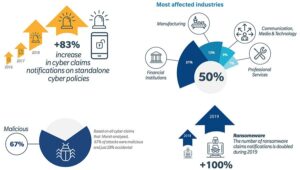
Why does this matter for small businesses? Well, the average cost of a ransomware attack can run into tens of thousands of dollars – not just the ransom (which you shouldn’t pay anyway, as it funds more crime), but lost productivity, recovery efforts, and potential legal fees if customer data is involved. In 2025, reports show that small businesses faced over 50% of all ransomware incidents, with recovery times averaging weeks. That’s downtime you can’t afford when you’re competing with bigger players.
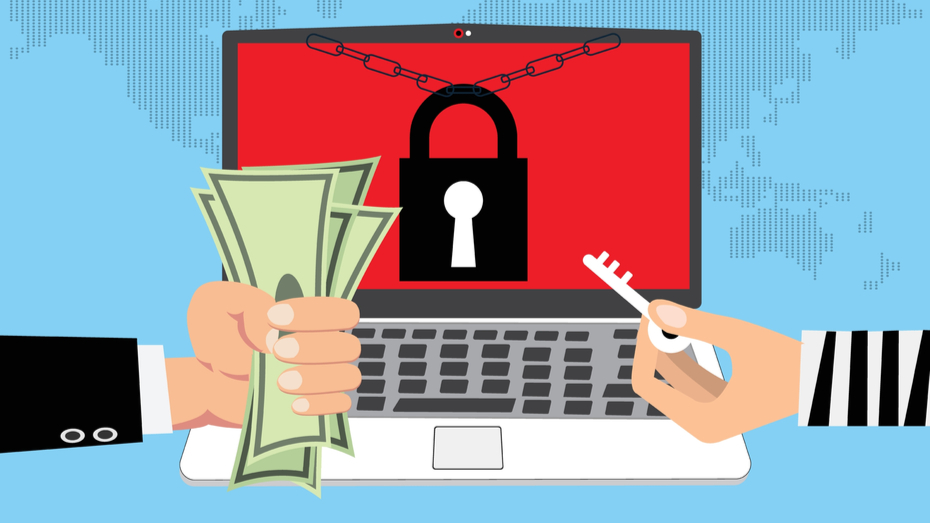
Image credit: https://www.bitsight.com/blog/top-7-ransomware-attack-vectors-and-how-avoid-becoming-victim
Why Small Businesses Are Prime Targets for Ransomware
You might think, “My business is too small to attract hackers.” But that’s exactly why you’re a target. Cybercriminals love going after the little guys because we often lack the robust defenses that large corporations have. Think about it – big companies have IT departments, fancy firewalls, and constant monitoring. Small businesses? We’re juggling a million things, and cybersecurity might not be at the top of the list.
Stats back this up. Small businesses make up about 43% of cyber attack victims, and ransomware is a big part of that. Why? Limited budgets mean we might skimp on security tools. Remote work setups, especially post-pandemic, create more entry points. And let’s be honest, employees might not always spot a phishing scam amid a busy day.
Another reason: Hackers know small businesses are more likely to pay up quickly to get back online. A day without access to customer records or inventory systems can mean lost sales. Plus, if you’re in a supply chain for bigger firms, breaching you could be a stepping stone to them.
But don’t panic. Understanding the risks is the first step in building strong ransomware protection strategies. By focusing on prevention, you can avoid becoming another statistic.
Building Your Ransomware Protection Strategies: The Basics
Okay, let’s roll up our sleeves and talk tactics. The key to effective ransomware protection strategies is layering your defenses – don’t rely on just one thing. Start with the fundamentals, and build from there. These aren’t rocket science; they’re practical steps any small business can take.
1. Educate Your Team on Cybersecurity Basics
Your employees are your first line of defense, but they can also be the weakest link if they’re not trained. Remember that phishing email I mentioned? That’s how 90% of ransomware attacks start. So, make training a priority.
Hold regular sessions – maybe quarterly – where you teach folks how to spot suspicious emails. Look for red flags like unknown senders, urgent language (“Act now or lose access!”), or weird attachments. Use real examples from recent news to make it relatable. There are free resources online, like those from the FTC or CISA, to help you set this up.
Encourage a “no shame” culture where people report potential mistakes without fear. One time, in my own experience helping a friend with their cafe business, an employee almost clicked a fake invoice link. Reporting it early saved the day. Tools like simulated phishing tests can keep everyone sharp.
And don’t forget remote workers. With more folks working from home, ensure they’re using secure Wi-Fi and not mixing personal and business devices carelessly.
2. Implement Robust Data Backup Practices
If ransomware hits, backups are your lifesaver. The idea is to have clean copies of your data that hackers can’t touch. Follow the 3-2-1 rule: three copies of your data, on two different types of media, with one offsite.
Use cloud services like Google Drive or dedicated backup providers that offer encryption and immutability – meaning backups can’t be altered or deleted easily. Test your restores regularly; it’s no good having backups if they don’t work when you need them.
For small businesses, automate this. Set up daily or weekly backups for critical files like customer databases or financial records. And keep at least one backup offline, like on an external hard drive stored in a safe place. This way, if ransomware encrypts your network, you’ve got a fallback.
I recall a local bakery that got hit last year. They had backups, but hadn’t tested them in months. It took days to recover, costing them big time. Learn from that – make testing part of your routine.
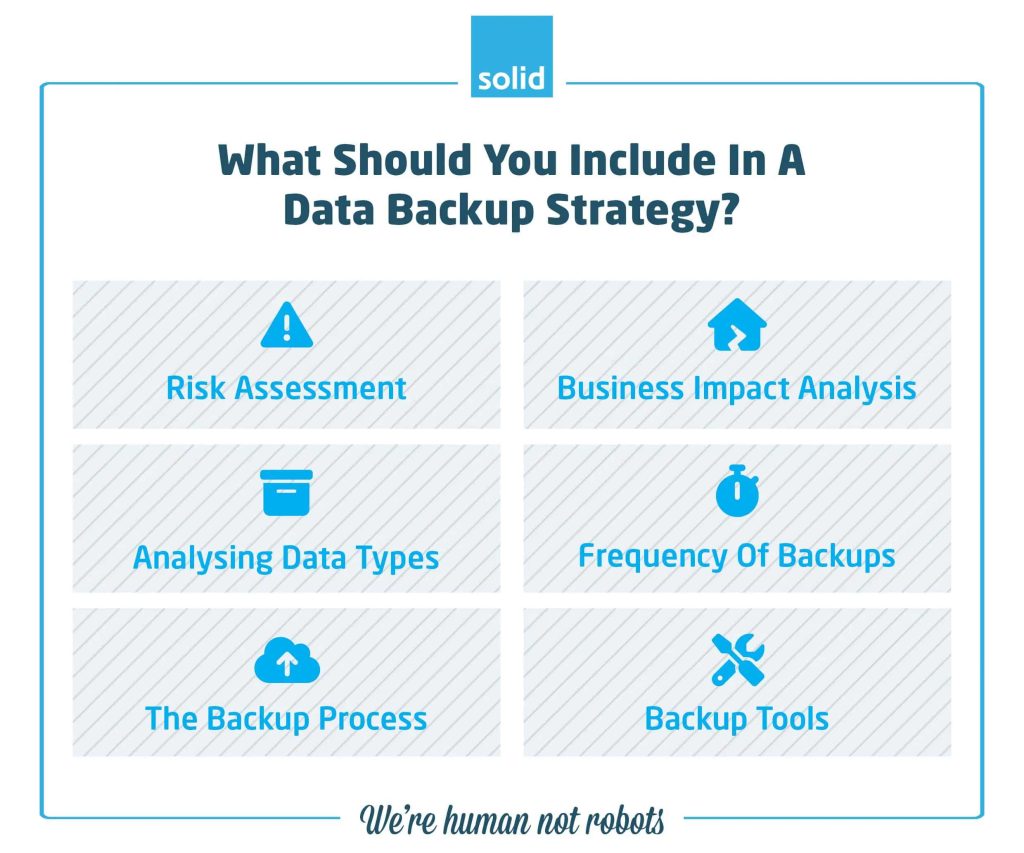
Image credit: https://www.solidsystems.co.za/blog/data-backup-strategy/
3. Keep Everything Updated and Patched
Outdated software is like leaving your front door unlocked. Hackers exploit known vulnerabilities, so regular updates are crucial in your ransomware protection strategies.
Enable auto-updates for operating systems (Windows, macOS), browsers, and apps. For business software, check for patches monthly. If you’re using older systems that no longer get updates, consider upgrading – they’re prime targets.
This includes plugins and add-ons, especially if you’re on WordPress or similar platforms. A single unpatched vulnerability can let ransomware in.
Pro tip: Use a patch management tool if you have multiple devices. It centralizes everything, saving time.
4. Invest in Reliable Antivirus and Anti-Malware Software
Don’t skimp here. Good antivirus software scans for threats in real-time, blocking ransomware before it activates. Look for ones with ransomware-specific features, like behavior monitoring that spots unusual file encryption.
Popular options for small businesses include Bitdefender or Malwarebytes – they’re affordable and effective. Install on all devices, including mobiles if your team uses them for work.
Combine this with endpoint detection and response (EDR) if you can afford it. It not only detects but responds to threats automatically.
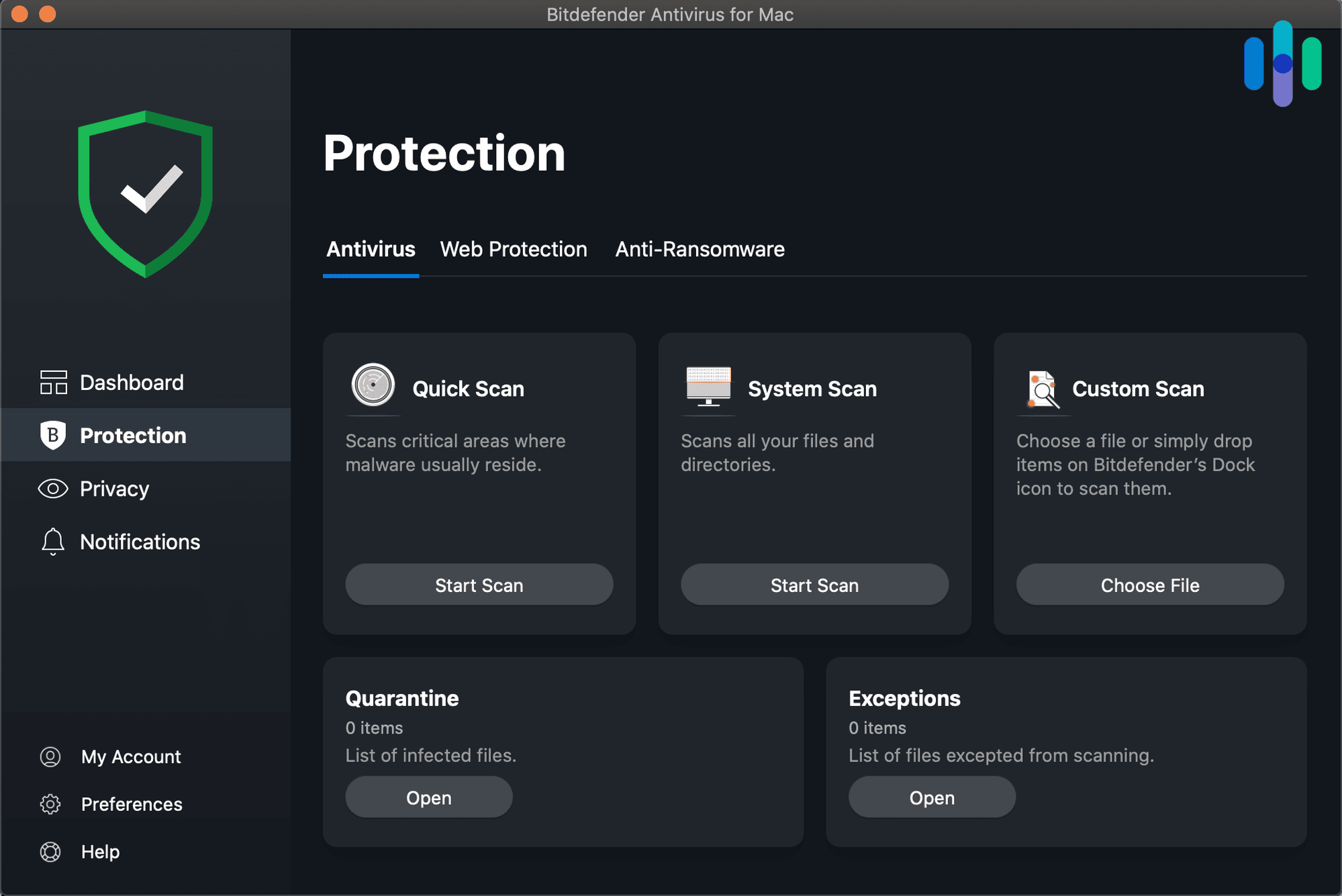
Image credit: https://www.security.org/antivirus/best/pc/
5. Enable Multi-Factor Authentication (MFA) Everywhere
MFA adds an extra layer: something you know (password) plus something you have (like a phone code) or are (fingerprint). It’s a game-changer for ransomware protection strategies because even if hackers steal your password, they can’t get in without the second factor.
Turn it on for email, cloud storage, banking – anywhere sensitive. Services like Google and Microsoft make it easy. For remote access, like VPNs, it’s non-negotiable.
One small business owner I know skipped MFA on their email. Hackers got in, sent phishing to clients, and it snowballed. Don’t let that be you.
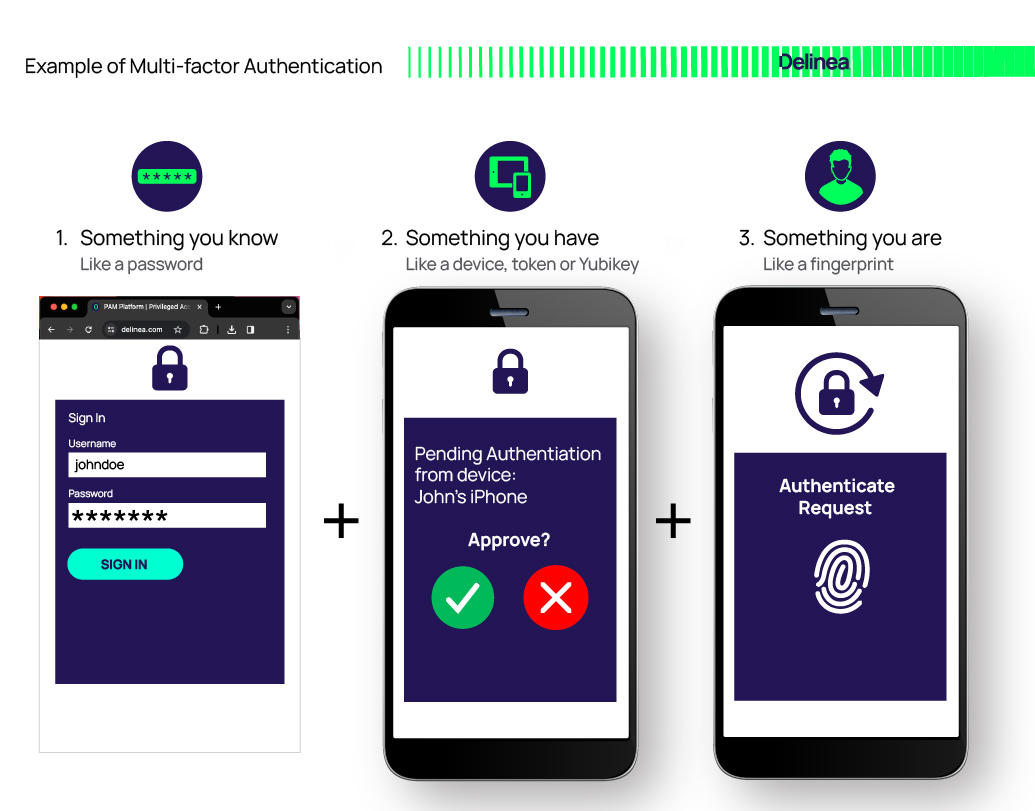
Image credit: https://delinea.com/what-is/multi-factor-authentication-mfa
6. Strengthen Your Network Security with Firewalls
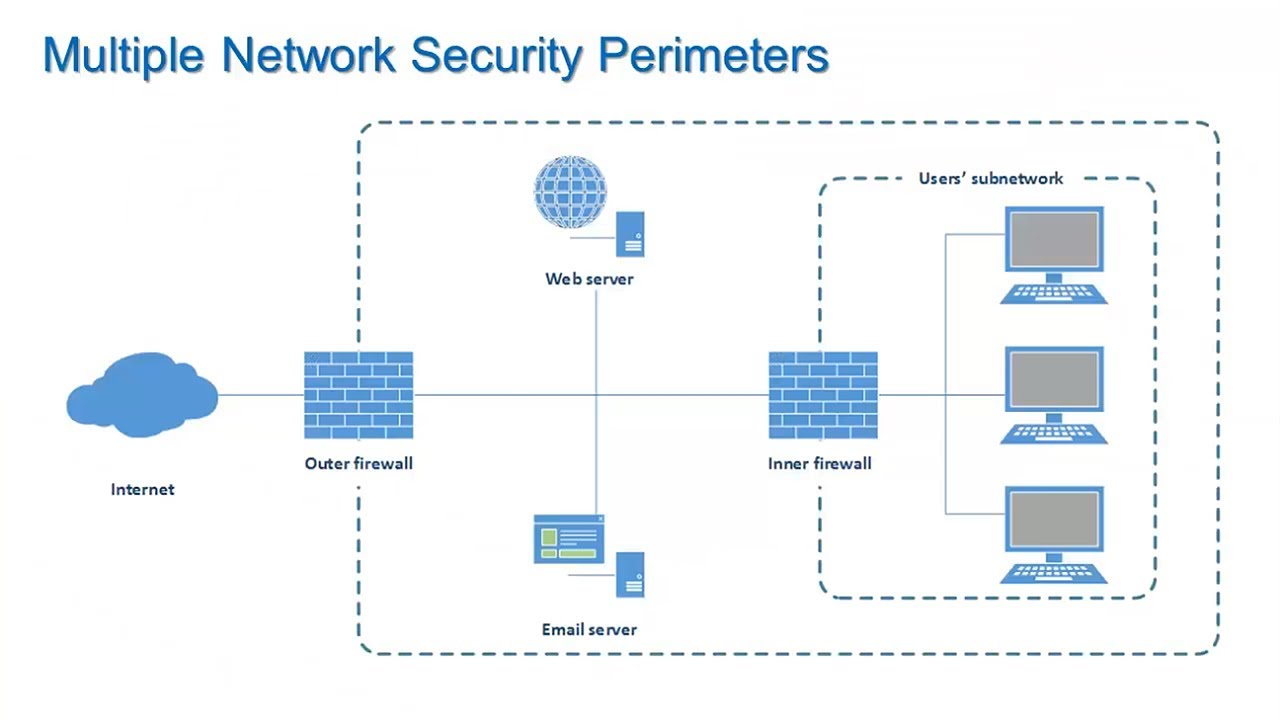
A firewall is your digital bouncer, controlling what comes in and out of your network. Use hardware firewalls for your office router and software ones on individual devices.
For advanced protection, consider next-gen firewalls that inspect traffic for malware. Segment your network too – keep guest Wi-Fi separate from business systems.
If you’re cloud-based, use security groups to limit access. And block known malicious IPs using tools from your ISP.
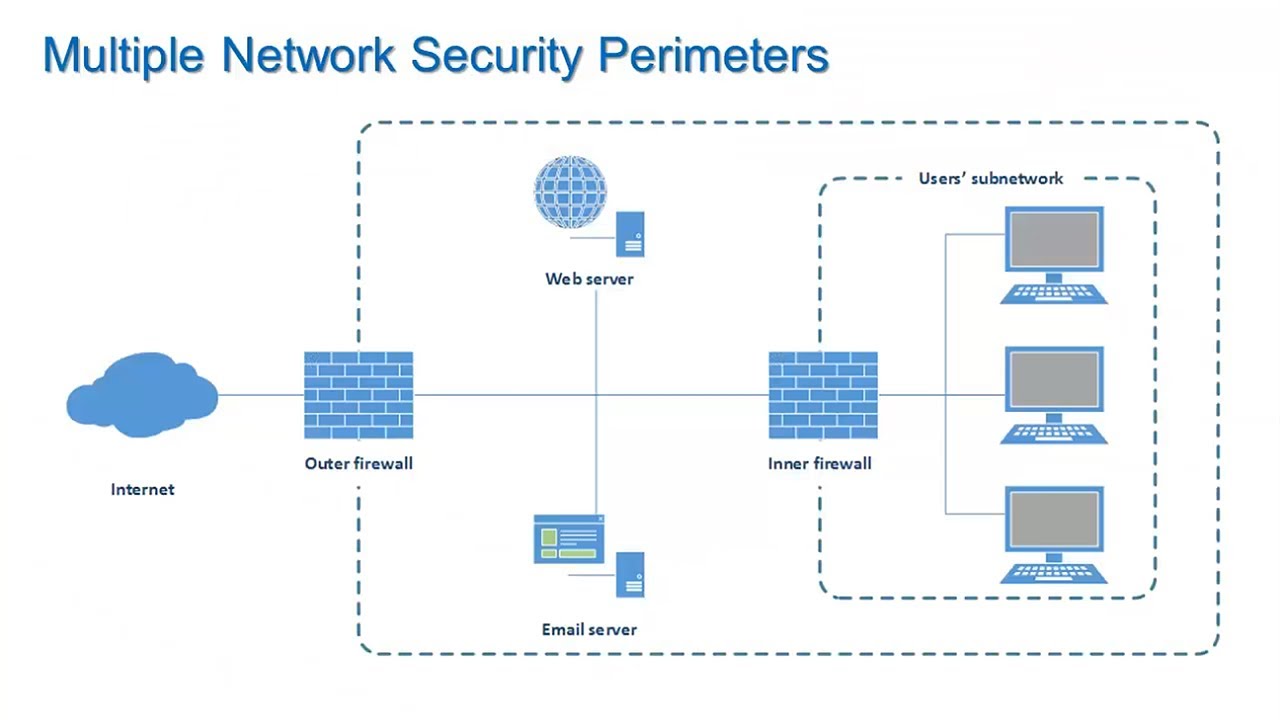
Image credit: https://www.youtube.com/watch?v=XEqnE_sDzSk
7. Secure Your Emails Against Phishing
Email is the main entry point for ransomware, so fortify it. Use spam filters and authenticate incoming mail with SPF, DKIM, and DMARC.
Scan attachments automatically and train your team to hover over links before clicking. Consider email security gateways for extra protection.
8. Develop an Incident Response Plan
What if the worst happens? An incident response plan outlines steps: who to call, how to isolate infected systems, and recovery processes.
Include contact info for IT support, lawyers, and even the FBI (they have ransomware resources). Practice it with drills.
9. Consider Cyber Insurance as a Safety Net
Cyber insurance covers costs from attacks, including ransomware. It might pay for recovery, legal fees, and even lost income. Check policies for ransomware specifics.
But insurance isn’t a replacement for prevention – insurers often require basic security measures to qualify.

Image credit: https://awareforce.com/cyber-insurance-2025-checklis/
Advanced Ransomware Protection Strategies for Growth
Once basics are in place, level up. Implement zero-trust architecture: verify every access request, no matter who. Use AI-driven threat detection for real-time alerts.
Monitor for unusual activity, like mass file changes – a ransomware sign. Encrypt sensitive data at rest and in transit.
For supply chain risks, vet vendors’ security. And stay informed via newsletters from CISA or cybersecurity blogs.
Lessons from Ransomware Attacks
Take the Colonial Pipeline attack in 2021 – though big, it shows supply chain ripples affecting small firms. A small clinic in my area got hit recently; without backups, they paid but still lost data. Contrast with a retailer who had MFA and backups – they recovered in hours.
These stories highlight: preparation pays off.
Wrapping Up: Stay Safe with Smart Strategies
Ransomware protection strategies aren’t optional for small businesses – they’re essential. By training your team, backing up data, updating systems, and layering defenses, you can sleep easier knowing your business is protected. Start small, implement one strategy at a time, and build from there. If you need help, consult a cybersecurity pro.
What are your thoughts? Have you faced a close call with ransomware? Share in the comments – let’s learn together. And remember, staying vigilant is key to keeping hackers at bay.
Share this content:







Post Comment